

The spring season brings one of the most cheerful times of year for email communication. Whether you are reaching out to clients, colleagues, students, or customers, your email signature is one thing that shows up on every single message you send.
A well designed Easter email signature or spring email signature does more than look festive. It clearly shows who you are, how to reach you, and gives you a simple way to share seasonal wishes, promote events, or highlight special offers without rewriting the same message over and over.

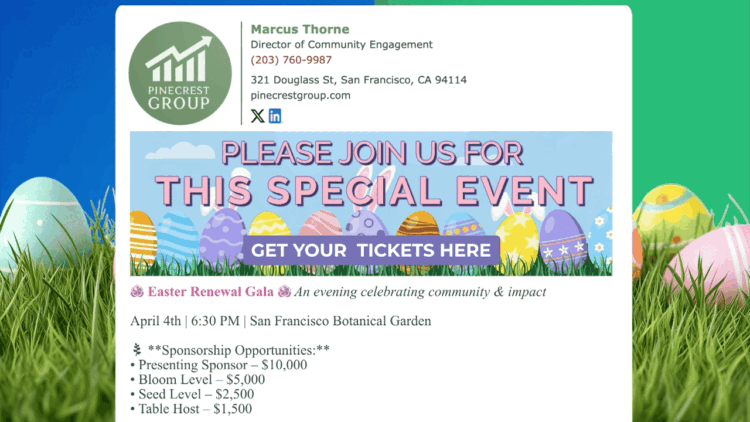
In this guide, you will see how to create a professional Easter email signature or happy spring email signature that works automatically on every email you send. We will also walk through real examples you can use right away.
Table of Contents
- Easter and Spring Email Signatures for Professional Communication
- Watch: Create an Easter Email Signature in Minutes
- Easter Email Signature Examples
- How to Create an Easter Email Signature
- Design Tips for Professional Spring Signatures
- Frequently Asked Questions
- Making the Most of Your Easter Email Signature

Easter and Spring Email Signatures for Professional Communication
During the spring season, your inbox gets busier but attention spans stay short. People scan messages quickly. Your email signature becomes a quiet but powerful way to communicate without adding extra text to every single email.
An Easter email signature or spring email signature helps you:
- Clearly show your name, role, and contact details
- Add a festive but professional seasonal greeting
- Promote events, fundraisers, or spring offers
- Share reminders like holiday hours or school breaks
- Do all of this automatically on every email you send
Instead of rewriting the same Easter message over and over, you set it once and let it work quietly in the background all season long.


5 Easter Email Signature Examples
Here are five real world ways people use Easter and spring email signatures across different industries. Each example works for Easter, Passover, or a broader Happy Spring email signature that fits any audience.
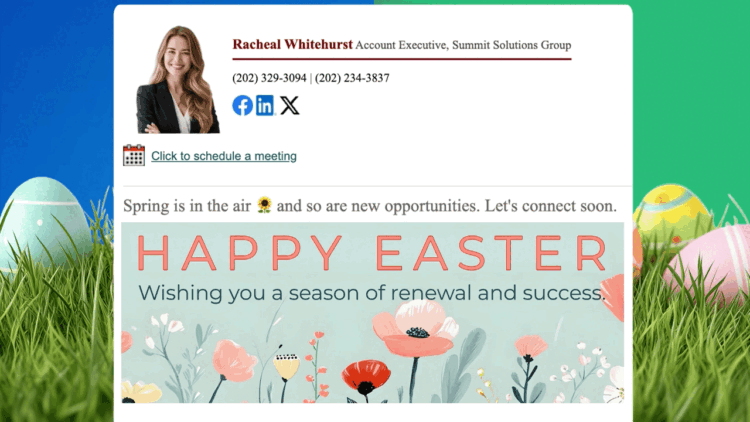
1. Happy Easter Wishes for Clients and Colleagues
Perfect for businesses that want to stay warm and professional without being overly salesy.
Example use case:
- Short Easter or spring greeting
- Optional note about office hours over the holiday weekend
- Clean festive banner with seasonal imagery
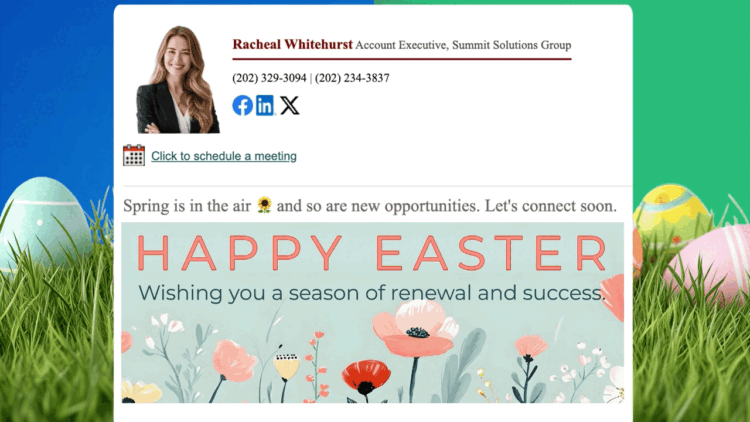
This works well for consultants, agencies, and small businesses that want to maintain warm relationships while staying professional throughout the spring season.
2. Happy Spring Greetings for Teams and Companies
A happy spring email signature is a more inclusive option that works across Easter, Passover, and the broader season. It keeps communication consistent and professional for larger teams.
Example use case:
- Happy Spring greeting paired with a cheerful seasonal banner
- Office or team updates for the spring period
- Links to relevant resources or upcoming announcements


This helps large companies maintain a consistent and polished tone across all team communications without requiring each person to update their own emails manually.
3. Promote an Easter Event or Fundraiser
Your Easter email signature can quietly promote an event without changing your email content at all.
Example use case:
- Easter fundraiser gala or community gathering
- School spring event or parent night
- Nonprofit seasonal campaign
You can include event dates, locations, and even a reserve tickets button directly inside the signature. Because it appears on every email, the message reaches people naturally without feeling pushy.
4. Easter Giveaway or Spring Promotion
A spring email signature is a subtle way to highlight a seasonal offer or giveaway with every message you send.
Example use case:
- Easter giveaway or seasonal contest
- Spring product launch or limited time offer
- End of quarter promotion


Because it appears on every email automatically, your promotion reaches people in a natural, non-intrusive way throughout the entire spring season.
5. Real Estate Spring Email Signature
Real estate professionals send constant follow ups, listings, and introductions throughout spring, which is one of the busiest buying seasons of the year. A spring email signature lets you stay festive while quietly promoting your services with every message.
Example use case:
- Spring themed banner showcasing a featured listing
- Clear contact details and website link
- Call to action to schedule a showing or consultation


This keeps your emails warm and professional while reminding recipients that you are ready to help them find their next home during the most active season in real estate.
How to Create an Easter Email Signature
With the free Email Signature Generator, setting up an Easter or spring email signature takes just a few minutes.
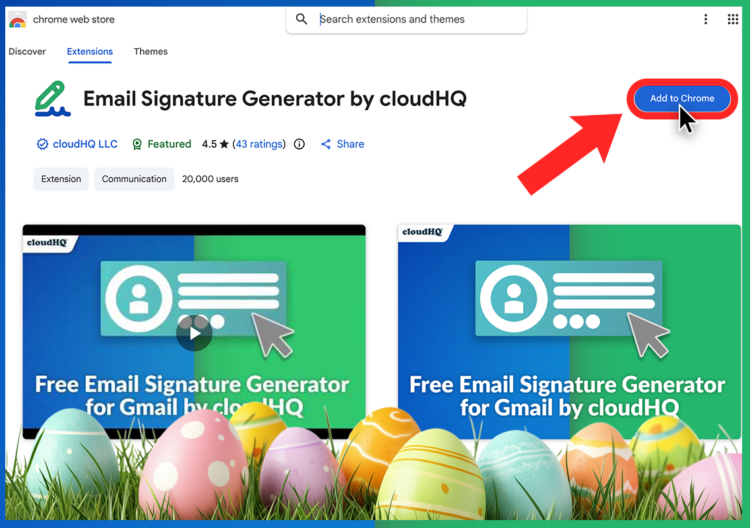
- Install the Email Signature Generator extension from the Google Chrome store
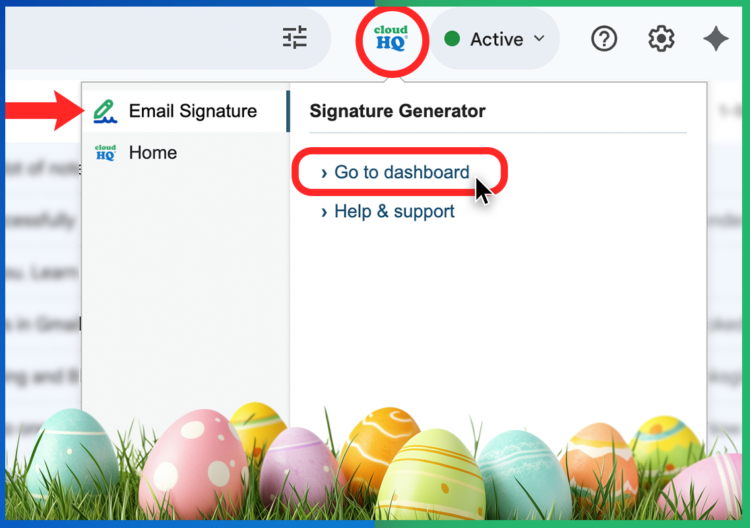
- Open Gmail and click your new cloudHQ icon. Select Email Signature to open the dashboard.
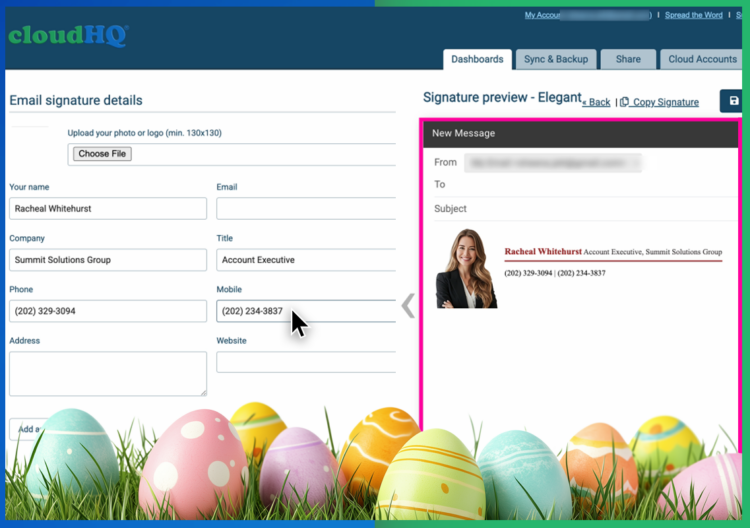
- Add your name, title, company, and contact details.
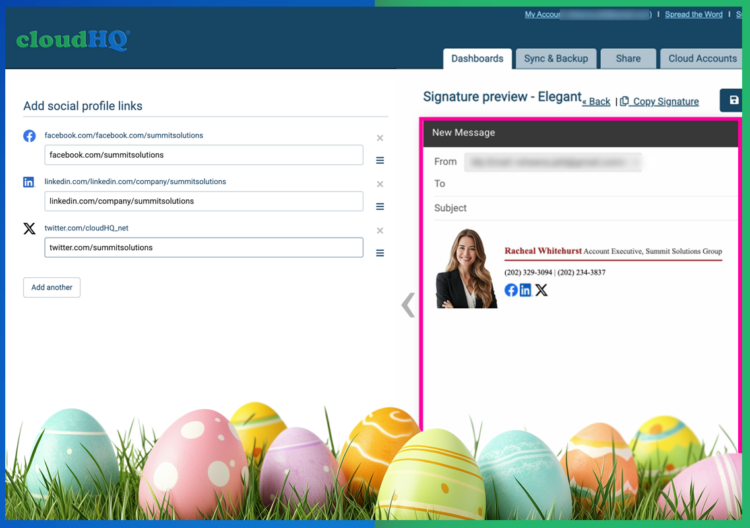
- Add your social links.
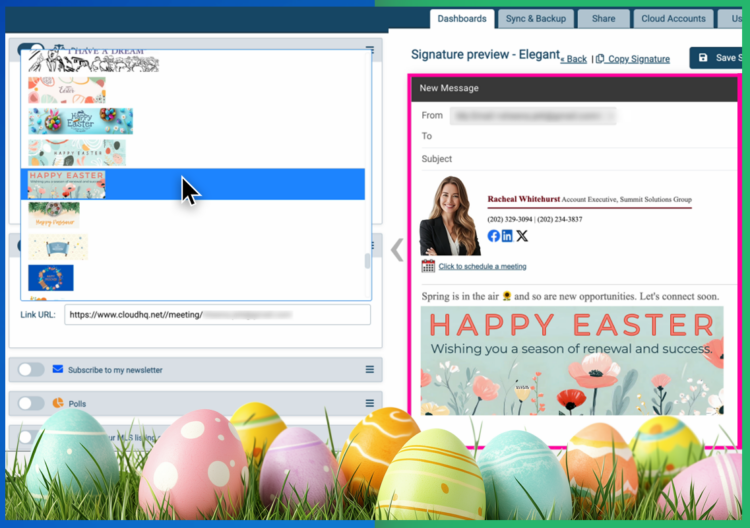
- Choose an Easter email signature banner or happy spring email signature design.
- Save and let it appear automatically on every email you send.

There is no coding, no image hosting, and no complicated setup.
Design Tips for Professional Easter and Spring Signatures
A great Easter email signature feels festive without being distracting.
- Keep your contact details clear and easy to read
- Use one seasonal banner, not multiple competing images
- Keep your holiday message short and friendly
- Avoid heavy sales language unless it fits your role and audience
- Preview how it looks on both desktop and mobile before sending
The goal is to enhance your emails, not overpower them.
Frequently Asked Questions
Should I use Easter or Happy Spring in my email signature?
Both work well depending on your audience. An Easter email signature tends to feel warm and personal, while a happy spring email signature is more inclusive and works across Easter, Passover, and the broader season. For professional or mixed audiences, spring is often the safer and more widely appreciated choice.
Will this appear on every email I send?
Yes. Once set, your Easter or spring email signature automatically appears on every email unless you choose to change it.
Can I update or remove it after Easter?
Absolutely. You can switch banners, update your message, or remove the seasonal design at any time. Many people simply swap it for a summer or general signature once the season ends.
Does this work for teams?
Yes. cloudHQ supports admin managed email signatures so entire teams can stay consistent with the same seasonal branding across every message they send.
Making the Most of Your Easter Email Signature
Easter and spring email signatures are one of the easiest ways to add personality, warmth, and useful information to every message you send during one of the most active seasons of the year.
Whether you choose a happy Easter email signature, a happy spring email signature, or something in between, the right signature helps you stay professional while still feeling human and seasonal.
Create yours today at email-signature-generator.com and let every email work a little harder for you this spring.