

Mother’s Day is one of the most meaningful moments of the year to connect with clients, colleagues, and customers in a more personal way. Whether you work in sales, HR, real estate, education, retail, hospitality, or nonprofits, your email signature is one thing that appears on every message you send.Here are numbers that might surprise you:
- The average office worker sends about 40 emails per day
- Over the course of a year, that is roughly 10,000 emails per person
- For a company with 50 employees, that can add up to roughly 500,000 email signature impressions annually
Compare that to traditional display advertising, where attention is expensive and often fleeting. Your email signature appears inside a real conversation. It is seen by people who already know you, work with you, buy from you, or are considering doing business with you.
A well designed Mother’s Day email signature does more than look thoughtful. It clearly shows who you are, how to reach you, and gives you a simple way to share seasonal wishes, promote events, highlight gift guides, or mention a timely offer without rewriting the same message over and over.

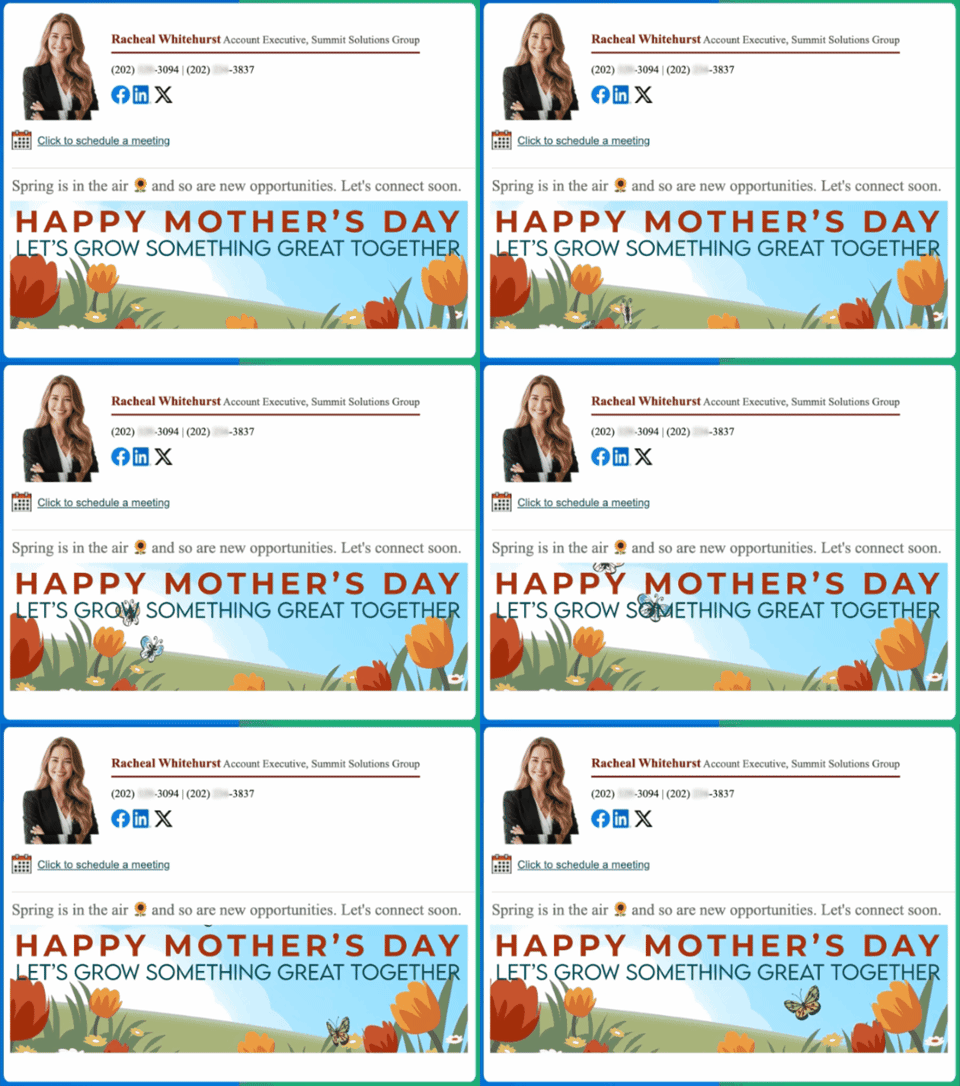
In this guide, you will see how to create a professional Mother’s Day email signature that works automatically on every email you send. We will also walk through real examples you can use right away.
Table of Contents
- Why Mother’s Day Email Signatures Outperform Traditional Ads
- Watch: Create a Mother’s Day Email Signature in Minutes
- Mother’s Day Email Signature Examples
- Design Tips for Professional Mother’s Day Signatures
- How to Create a Mother’s Day Email Signature
- Frequently Asked Questions
- Making the Most of Your Mother’s Day Email Signature
Why Mother’s Day Email Signatures Outperform Traditional Ads
Most businesses spend real money on digital ads that people often scroll past. Meanwhile, one of the most overlooked marketing spaces is sitting at the bottom of every email your team already sends.
Consider this: a single employee sending 40 emails per day can generate about 10,000 email signature impressions per year. Scale that across a team of 100, and you are looking at roughly 1 million signature impressions annually.
But impressions are only part of the story.
A display ad has to fight for attention on a crowded page. A Mother’s Day email signature appears inside a message someone chose to open. It comes from a person, not a random ad placement. It sits near your name, title, company, and contact details, which makes it feel useful rather than disruptive.
There is also a strong business case. Email signature banners can see click rates around 4 percent according to industry reporting, while display advertising is often far lower. Nielsen research has also shown that people place high trust in recommendations and messages from people they know.
That means your email signature has a practical advantage. It is not trying to interrupt attention. It is part of a trusted conversation that is already happening.
A Mother’s Day email signature helps you:
- Clearly show your name, role, and contact details
- Add a warm Mother’s Day greeting that feels personal
- Promote events, fundraiser brunches, gift guides, or spring offers
- Share reminders like booking deadlines, donation links, or holiday hours
- Do all of this automatically on every email you send
Instead of rewriting the same Mother’s Day message over and over, you set it once and let it work quietly in the background all season long.


5 Mother’s Day Email Signature Examples
Here are five real world ways people use Mother’s Day email signatures across different industries. Each example works whether you want a heartfelt personal touch or a professional seasonal update.
1. Happy Mother’s Day Wishes for Clients and Colleagues
Perfect for businesses that want to stay warm and professional without being overly promotional.
Example use case:
- Short Mother’s Day greeting wishing recipients a wonderful day
- Optional note about seasonal availability or office hours
- Clean floral banner with spring imagery
This works well for consultants, agencies, financial advisors, educators, and small businesses that want to maintain warm relationships while staying professional.
2. Celebrating Moms on the Team
A Mother’s Day email signature is a simple and inclusive way for HR teams and company leadership to recognize the moms across the organization. It keeps communication consistent and shows appreciation without requiring a separate announcement.
Example use case:
- A warm Happy Mother’s Day message for moms on the team
- Link to a team appreciation page or company update
- Beautiful seasonal banner that feels celebratory


This helps larger companies maintain a consistent and polished tone across team communications. When many employees use the same seasonal signature, your company culture becomes visible in everyday messages.
3. Promote a Mother’s Day Event or Fundraiser Brunch
Your Mother’s Day email signature can quietly promote an event without changing the body of your email at all.
Example use case:
- Mother’s Day fundraiser brunch or community gathering
- Charity event supporting moms in need
- School celebration or nonprofit seasonal campaign


You can include event dates, locations, and even a donate or reserve tickets button directly inside the signature. Because it appears on every email, your reminder reaches people naturally.
4. Mother’s Day Giveaway or Spring Promotion
A Mother’s Day email signature is a subtle way to highlight a seasonal offer or giveaway with every message you send.
Example use case:
- Mother’s Day giveaway or gift guide promotion
- Spring product launch or limited time offer
- Special discount for the month of May



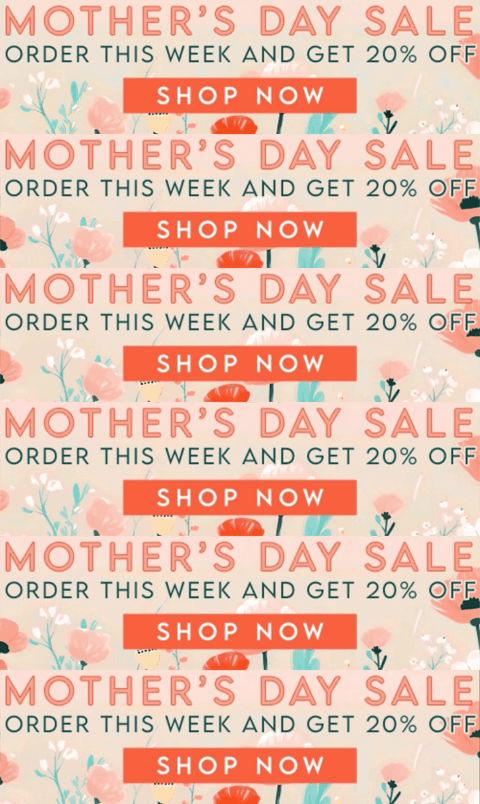
Because it appears on every email automatically, your promotion reaches people in a natural, non intrusive way. It is especially useful for retailers, spas, salons, bakeries, florists, restaurants, and ecommerce brands.
5. Real Estate Mother’s Day Email Signature
Real estate professionals send constant follow ups, listings, and introductions throughout spring, which is one of the busiest buying seasons of the year. A Mother’s Day email signature lets you stay thoughtful while quietly promoting your services with every message.
Example use case:
- Mother’s Day themed banner showcasing a featured listing
- Clear contact details and website link
- Call to action like This Mother’s Day, find a home she’ll love

This keeps your emails warm and professional while reminding recipients that you are ready to help them find their next home.
Design Tips for Professional Mother’s Day Signatures
A great Mother’s Day email signature feels heartfelt without being distracting.
- Keep your contact details clear and easy to read
- Use one seasonal banner, not multiple competing images
- Keep your Mother’s Day message short and genuine
- Avoid heavy sales language unless it fits your role and audience
- Add one clear call to action if you are promoting something
- Preview how it looks on both desktop and mobile before sending
The goal is to enhance your emails, not overpower them. A clean, professional Mother’s Day banner paired with a short heartfelt note will usually feel stronger than a cluttered signature with too many competing links.
How to Create a Mother’s Day Email Signature
With the free Email Signature Generator, setting up a Mother’s Day email signature takes just a few minutes.
- Install the Email Signature Generator extension from the Google Chrome store
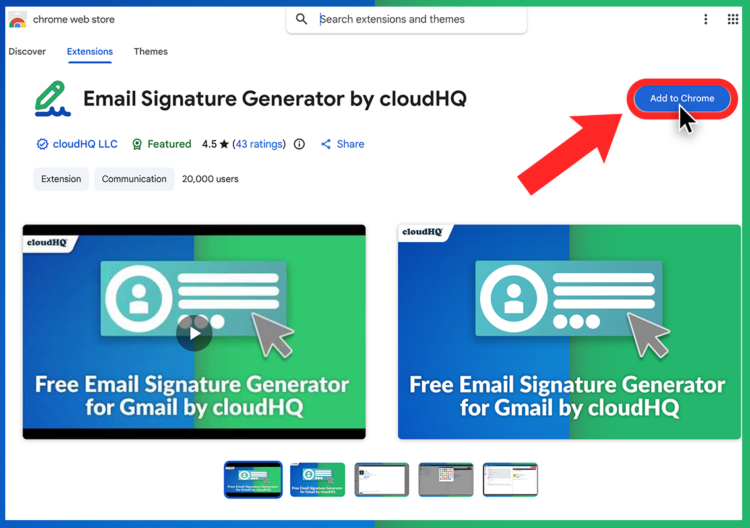
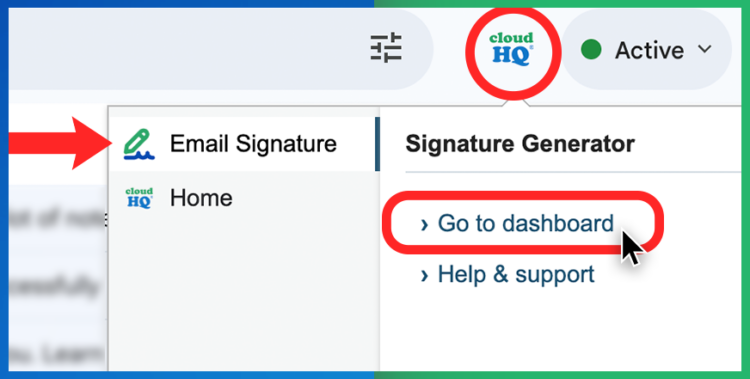
- Open Gmail and click your new cloudHQ icon. Select Email Signature to open the dashboard.
- Add your name, title, company, and contact details.

- Add your social links.

- Choose a Mother’s Day email signature banner from the seasonal collection.
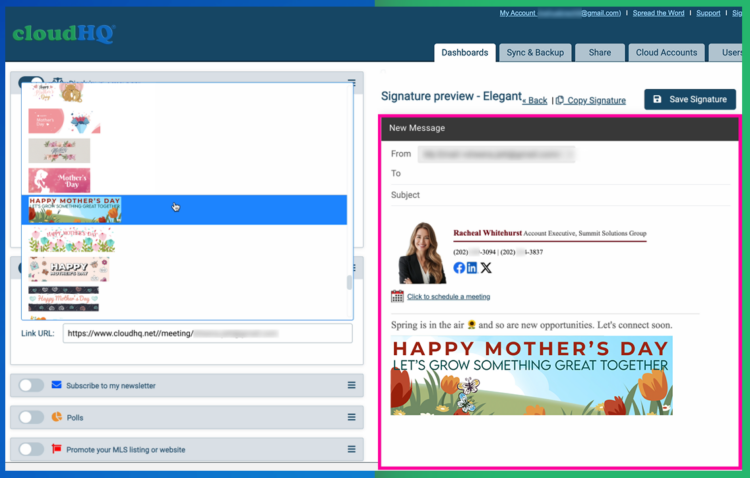
- Save and let it appear automatically on every email you send.


There is no coding, no image hosting, and no complicated setup.
Frequently Asked Questions
- How effective is an email signature compared to a paid ad?
Email signatures can be surprisingly effective because they appear inside existing conversations. Email signature banners can see click rates around 4 percent according to industry reporting, while many display ads perform much lower. Results vary by audience, design, offer, and email volume. - Will this appear on every email I send?
Yes. Once set, your Mother’s Day email signature automatically appears on every email unless you choose to change it. - Can I update or remove it after Mother’s Day?
Absolutely. You can switch banners, update your message, or remove the seasonal design at any time. Many people simply swap it for a summer or general signature once the holiday passes. - Does this work for teams?
Yes. cloudHQ supports admin managed email signatures so entire teams can stay consistent with the same seasonal branding across every message they send. - How many impressions does an email signature generate?
A simple estimate is 40 emails per person per workday. Over 250 working days, that is roughly 10,000 email signature impressions per person per year. A team of 100 employees can generate roughly 1 million email signature impressions annually.
Making the Most of Your Mother’s Day Email Signature
Mother’s Day email signatures are one of the easiest ways to add personality, warmth, and a personal touch to every message you send during one of the most heartfelt holidays of the year.
But beyond the sentiment, the numbers tell an interesting story. Your email signature is seen again and again by people who already have a relationship with you. It appears in real conversations, supports your brand, and can quietly promote the message you want people to remember.
Whether you choose a warm Happy Mother’s Day greeting, a floral banner promoting a fundraiser brunch, or a thoughtful message celebrating the moms on your team, the right signature helps you stay professional while still feeling human and personal.
Create yours today at email-signature-generator.com and let every email work a little harder for you this Mother’s Day.
Sources
- DataReportal Digital 2025 Global Advertising Trends
- Letsignit Email Signature Marketing Performance
- Nielsen Trust in Advertising Research
- Radicati Email Statistics Report