

Last updated September 2026. Originally published August 2024.
Every September, teachers rebuild the same workflow from scratch: the handouts, the parent emails, the permission slips, the feedback forms. Almost none of that is teaching, and almost all of it happens in email.
cloudHQ makes over 100 productivity apps. These 5 made the back-to-school list because they handle the work that repeats every week of the school year, not once a semester.
Each one installs in a single click, runs on the Google account you already have, and belongs to the cloudHQ education suite certified by the Access for Learning Community.
Quick comparison
| App | What it does | Best for |
|---|---|---|
| Convert PDF to Word | Turns PDFs into editable Word documents | Adapting worksheets and handouts |
| Screenshot Tool | Captures and annotates anything on screen | Visual instructions and how-to guides |
| Email Templates | Saves and reuses formatted emails | Recurring parent and class communication |
| PDF Redact | Permanently blacks out text in PDFs | Protecting student names and records |
| Online Polls & Surveys | Sends polls and collects responses by email | Parent feedback and pop quizzes |
Table of Contents
- Convert PDF to Word
- Screenshot Tool
- Email Templates
- PDF Redact
- Online Polls & Surveys
- 3 More cloudHQ apps for schools (Honorable mentions)
- Frequently asked questions
1. Convert PDF to Word: Make Any Handout Editable
Half the good material a teacher finds arrives as a PDF, which means it cannot be adapted for a different reading level, a different class, or a student with an IEP. Convert PDF to Word turns that locked file into an editable document in seconds.

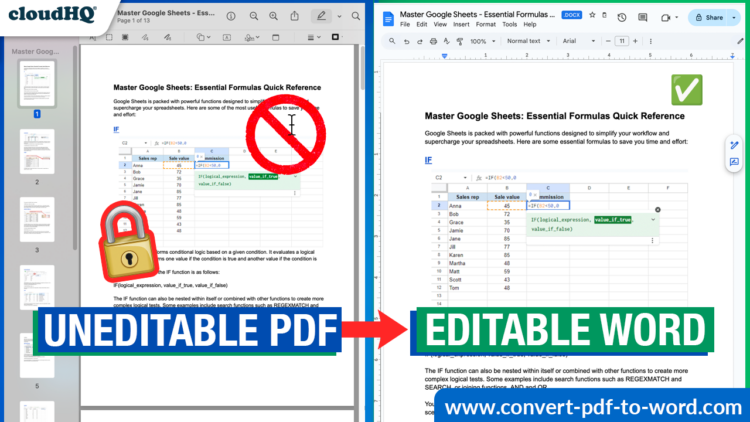
- Convert any PDF into an editable Word document
- Keep the original layout, tables, and formatting
- Convert straight from a Gmail attachment without downloading first
- Adapt worksheets for different reading levels or accommodations
This is the app that turns “I found a great worksheet but I cannot change the questions” into a five-minute edit. It is also the fastest way to rescue a document whose original file is long gone.
2. Screenshot Tool: Communicate More Clearly
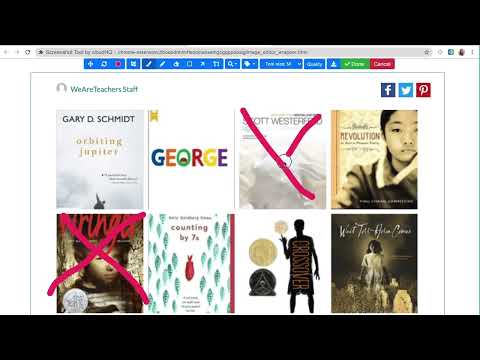
Clear communication is key in education. With Screenshot Tool, you can capture and annotate anything on your screen, which makes it invaluable for step-by-step instructions and visual aids.
- Capture screenshots of anything on your screen
- Mark them up and annotate them
- Download or copy a link to share with anyone
3. Email Templates: Write It Once
Teachers send the same message dozens of times: picture day is Thursday, here is the reading list, please sign and return by Friday. Email Templates lets you write it once and reuse it all year.
- Copy any email you receive and customize it as your own
- Select from a free library of 1,500+ professionally designed templates
- Use the email design creator to build your own
- Create and share email templates with your team
- Access and send your templates from your phone
- Works right inside your Gmail or Outlook email accounts!

4. PDF Redact: Protect Student Information
This is the app most schools do not know they need until something goes wrong. A roster gets forwarded, a scanned form goes to the wrong list, an attachment has student names on page three that nobody checked. PDF Redact permanently removes that information before the file leaves your hands.
- Black out names, addresses, ID numbers, and grades in any PDF
- Redaction is permanent, so the text cannot be copied out or recovered
- Redact a whole folder of files in a single pass
- Works on scanned documents and forms, not just digital-native PDFs

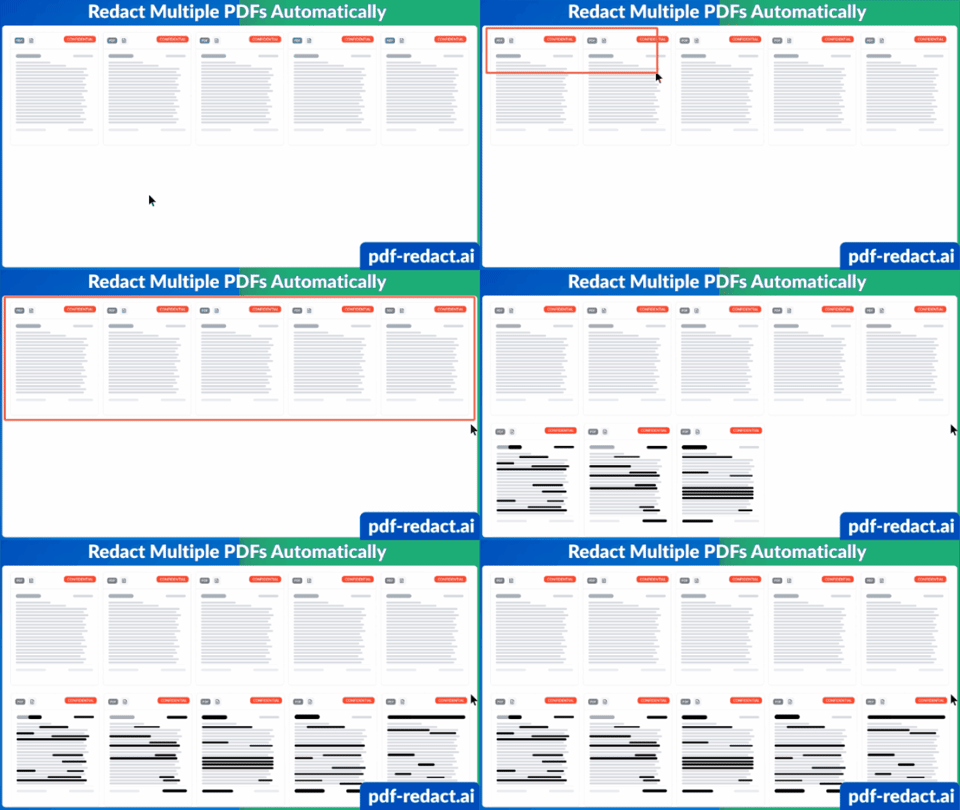
Most accidental disclosures in schools are not breaches in any dramatic sense. They are a file someone shared without reading all the way to the end. Drawing a black box in a PDF viewer does not count either, because the text underneath is still selectable. Real redaction removes the data.
5. Online Polls & Surveys: Get Valuable Feedback
Feedback is essential for improving your teaching methods and understanding what students actually need. Online Polls & Surveys lets you gather it directly by email, without asking anyone to create an account.
- Create polls and surveys with open-ended feedback
- Save polls or surveys as personal templates to reuse
- Receive multiple answers to your questions
- Export all responses into an organized Google Sheet

Feedback is one of the highest-impact things a teacher can do. In John Hattie’s ranking of influences on student achievement, it sits near the top of the list, well above most classroom interventions. Polls and Surveys is the fastest way to collect it, and it doubles as a pop quiz that grades itself into a spreadsheet.
3 More cloudHQ apps for schools (Honorable mentions)
The five above are the core. These three are worth knowing about depending on your role.
1. Meeting Scheduler
Meeting Scheduler replaces the back-and-forth of booking parent conferences. Send one link, let people pick a slot.
- Stop wasting time going back and forth to book a meeting
- Send a link to book a time with you
- Simplify scheduling for one-on-one meetings

2. MailKing
MailKing sends class newsletters and reminders to a whole parent list, personalized to each recipient. Popular with PTA organizers and front offices.
- Personalize mass emails based on name, email address, or any available information
- Email templates provided
- Follow-up campaigns available
- Opens and clicks tracked

3. ChatGPT for Gmail
ChatGPT for Gmail drafts replies, summarizes long threads, and cleans up tone on emails you would rather not write twice.
- Generate email drafts and replies based on your input
- Summarize lengthy email threads for quick understanding
- Create engaging subject lines
- Check readability and grammar for polished communication

Frequently asked questions
What are the best Gmail apps for teachers?
The five cloudHQ apps most useful to teachers are Convert PDF to Word, Screenshot Tool, Email Templates, PDF Redact, and Online Polls & Surveys. Each installs as a Chrome extension and runs inside Gmail, so there is no separate platform for staff to learn.
Do these apps work with Google Workspace for Education?
Yes. All cloudHQ education apps work with existing Google Workspace accounts, including Workspace for Education. Teachers sign in with the school account they already use.
Do schools get a discount?
Yes. cloudHQ offers special pricing for schools and non-profits. Email support@cloudhq.net to request it.
Is drawing a black box over text in a PDF the same as redacting it?
No. A black rectangle drawn in a PDF viewer is a graphic sitting on top of the text. The words underneath remain in the file and can be selected, copied, or extracted. PDF Redact removes the underlying text so the information is genuinely gone.
Do students need to create accounts to answer a poll?
No. Online Polls & Surveys collects responses by email, so recipients answer without signing up for anything. Responses export to a Google Sheet.
Are these apps certified for education use?
The cloudHQ education suite is certified by the Access for Learning Community (A4L), the organization behind the Student Data Privacy Consortium.
Getting started
Pick the one that solves your most annoying problem this week and install just that. Most teachers start with Email Templates because the payoff is immediate, then add PDF Redact the first time they have to share a document with student names in it.
The full back-to-school app collection is one page with an install button for each. Schools and non-profits should email support@cloudhq.net about discounted pricing before rolling anything out district-wide.