Halloween emails are no longer just for online stores. From sales professionals sending warm greetings to clients, to schools and HR teams building spirit, the right halloween email example can make a lasting impression. This year, skip the stress of design and focus on connection, because Email Templates by cloudHQ offers a complete collection of free, ready to send designs for both Gmail and Outlook.

Table of Contents
- Why Send a Halloween Email
- About Email Templates by cloudHQ
- Halloween Email Examples You Can Use Today
- Professional Halloween Greetings
- Personal and Creative Halloween Emails
- How to Send a Halloween Email in Gmail or Outlook
- Design Tips for Great Halloween Emails
- Frequently Asked Questions
- Final Thoughts
Why Send a Halloween Email
Halloween sits at the intersection of creativity and connection. Inboxes fill with playful visuals, clever copy, and community spirit. Unlike other holidays, halloween emails can be bold, funny, and a little weird, which helps them stand out.
For professionals, it is also a low pressure way to re engage your audience. You are not selling anything serious. You are simply saying hello in a season that people enjoy. Whether you work in sales, HR, education, or nonprofit outreach, a themed email keeps relationships warm and shows personality.

Americans plan to spend over 13 billion dollars on Halloween in 2025. While that number reflects shopping habits, it also reveals how invested people are in celebrating. Sending a halloween email lets you join that shared excitement without needing to run a discount.
About Email Templates by cloudHQ
Email Templates by cloudHQ is a free extension for Gmail and Outlook. You get thousands of professional layouts. There is no coding or image hosting. Open your email, pick a design, customize it, and send.
- Gmail Extension: Get it from the Chrome Web Store
- Outlook Extension: Install for Outlook
- Microsoft Edge Add on: Download for Microsoft Edge
- Google Workspace: Add to Google Workspace
Every template is beautiful, and very easy to edit. Add your logo, message, and colors in minutes.
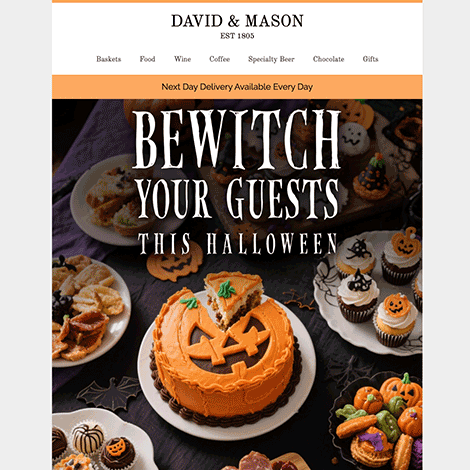
Halloween Email Examples You Can Use Today
These halloween email examples come straight from the template gallery. Copy the message, tweak the details, and send.
1. Halloween Greeting Card
Best for: Client appreciation or internal notes.
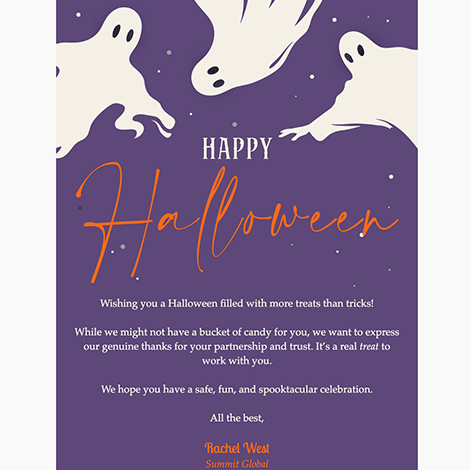
Message example: Wishing you a frightfully fun Halloween filled with laughter, creativity, and candy. From all of us at [Company Name], have a safe and happy celebration.
2. Classroom Celebration Email
Best for: Teachers and administrators.
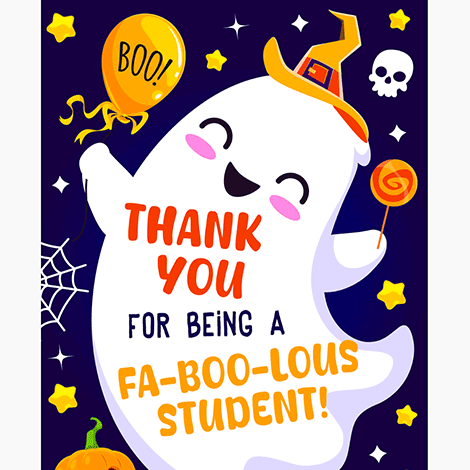
Message example: Hey students, join us this Friday for a school wide Halloween celebration. Costumes encouraged, fun guaranteed.
3. Nonprofit Community Event
Best for: Fundraisers and community engagement.
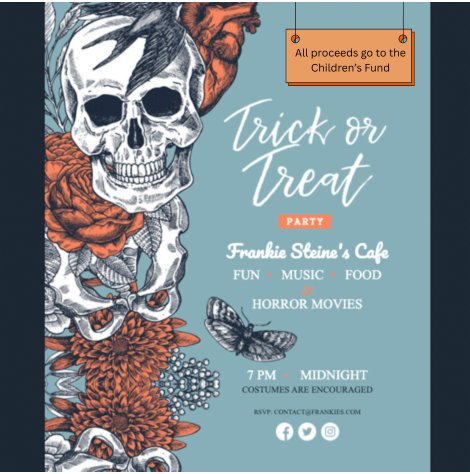
Message example: Your support makes a difference. Join our Halloween night fundraiser and help us bring smiles to kids in need.
4. Community Trunk or Treat
Best for: Family friendly events.

Message example: Come for the candy and stay for the smiles. Trunk or Treat is a safe and spirited celebration for the entire family.
5. Seasonal Store Feature
Best for: Service and retail with a halloween flair.

Message example: Celebrate spooky season with blooms that enchant. Explore our limited Halloween arrangements today.
6. Thank You Note
Best for: A quick seasonal touch.
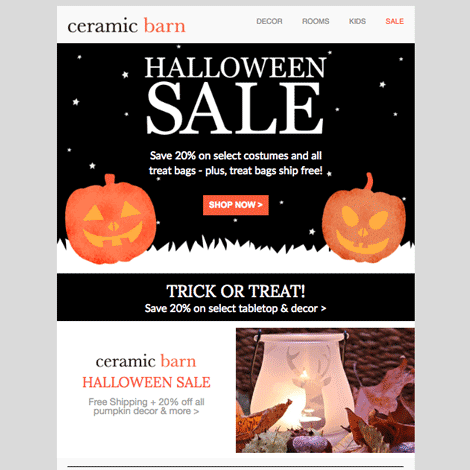
Message example: Trick or treat, it is time to appreciate. Thank you for your continued partnership. Have a fantastic Halloween from the entire team.
Professional Halloween Greetings
Short and friendly messages work best. No discount codes. No heavy pitch. Just connection. For more subject lines and strategy, see Best Halloween Emails for Business.
Sales and Client Relationships
Template idea: Happy Halloween from your friends at [Company Name]. We hope your day is full of creativity and treats. Thank you for letting us be part of your business journey.
HR and Internal Communications
Template idea: Celebrate with us. Dress up, bring your favorite candy, and join our costume contest this Friday. It is all about teamwork, laughter, and fun.
Schools and Education
Send a quick announcement or a safety reminder. Add date, time, and contact details. Keep it light and cheerful.
Nonprofits and Community Groups
Share gratitude, announce an event, or invite volunteers. A friendly seasonal greeting keeps supporters close to your mission.
Personal and Creative Halloween Emails
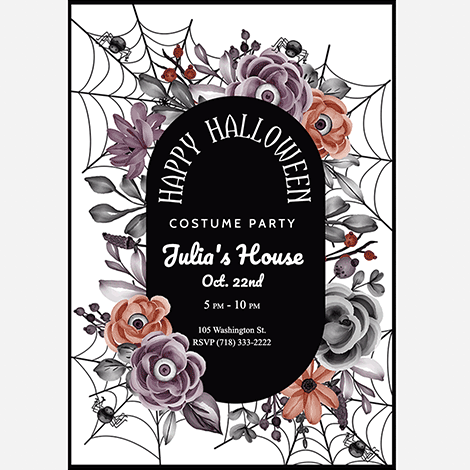
- Party invitations: Include RSVP buttons and clear event details.
- Photo highlights: Share images from last year to build excitement.
- Neighborhood notices: Announce trick or treat routes or block events.
The free gallery includes pumpkins, bats, and ghosts in mobile friendly formats.
How to Send a Halloween Email in Gmail or Outlook
Using Email Templates by cloudHQ is simple. Create and send in minutes.
- Install the extension for Gmail or Outlook.
- Open your inbox. You will see a Templates button in the compose window.
- Select Halloween to browse designs for the season.
- Edit your message and images. Replace placeholder text with your greeting or announcement.
- Send or schedule. The email displays beautifully on any email provider platform.
Design Tips for Great Halloween Emails
- Keep it simple. Focus on one clear message.
- Use contrast wisely. Dark backgrounds with bright accents feel seasonal and readable.
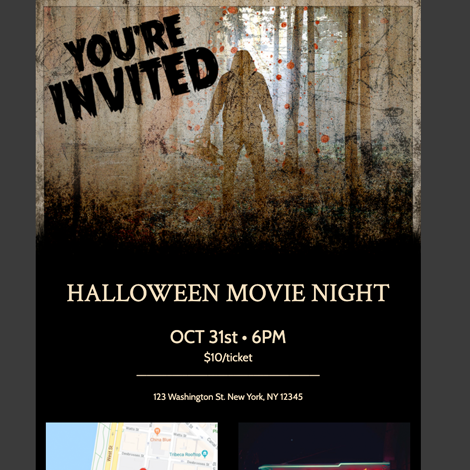
- Use one clear call to action. Make RSVP or Get tickets easy to find.
- Send from your own email. Send directly from Gmail or Outlook for better inbox placement.
- Add personality. Emojis, puns, or a quick GIF can add charm.
Frequently Asked Questions
Where can I find halloween email examples for Gmail and Outlook?
Browse the free gallery. Pick a design, edit it, and send from your inbox.
Can I customize the templates?
Yes. Edit text, colors, logos, and images with the built in editor.
Do these templates work on mobile?
Yes. Every design adapts to desktop, tablet, and phone screens.
Are these good for client greetings?
Yes. A short seasonal note is a friendly way to stay top of mind without a sales pitch.
Final Thoughts
Halloween emails do not need to be complicated. With Email Templates by cloudHQ, you can create something festive, friendly, and professional in a few clicks. Whether you send a greeting to clients, a school reminder, or a party invite, these halloween email examples make it easy to look great and connect.