Table of Contents
Let’s be honest, plain text emails are boring. You have something exciting to say, but your message still lands with the energy of a soggy paper towel. Email GIFs by cloudHQ fixes that. It lets you search and insert GIFs and stickers directly inside Gmail, without leaving your compose window. Just click the GIF icon, browse categories, search trending reactions, choose your GIF or sticker, and drop it into your email instantly. Whether you are adding personality to outreach, celebrating a team win, or making your emails more clickable, the right reaction is always one click away.
Some emails inform. Some emails persuade. Some emails should absolutely not feel like they were written by a folding chair.
If you have ever typed “Great news!” into an email and then stared at it thinking, “Why does this still feel so emotionally flat?” you are not alone.
That is exactly why Email GIFs by cloudHQ exists. It helps you add GIFs and stickers directly into Gmail so your message feels more human, more expressive, and a lot more fun.
And yes, it is fast. No switching tabs. No hunting around the internet. No copy and paste circus.
You just click, search, insert, and send.

Why Plain Emails Feel So Lifeless
Email is still one of the most important ways people communicate at work. But let’s be real, a lot of emails feel dry, stiff, and forgettable.
That is a problem when you are trying to:
- announce good news
- celebrate a team win
- follow up with personality
- get someone to actually click
- make your message feel warm instead of robotic
Text alone can say the words, but it often misses the feeling. A well placed GIF adds tone instantly. It helps your reader understand whether your email is excited, playful, encouraging, or celebratory.
In other words, email GIFs do what punctuation has been trying very hard to do for years.
What Are Email GIFs?
Email GIFs are animated images you add inside an email to make your message more expressive and engaging. They can be funny, encouraging, celebratory, relatable, or attention grabbing.
With Email GIFs by cloudHQ, you can search and insert GIFs and stickers directly inside your Gmail compose window.
That means you can:
- search thousands of trending GIFs
- browse by category
- use stickers as well as GIFs
- insert them in one click
- stay inside Gmail the whole time
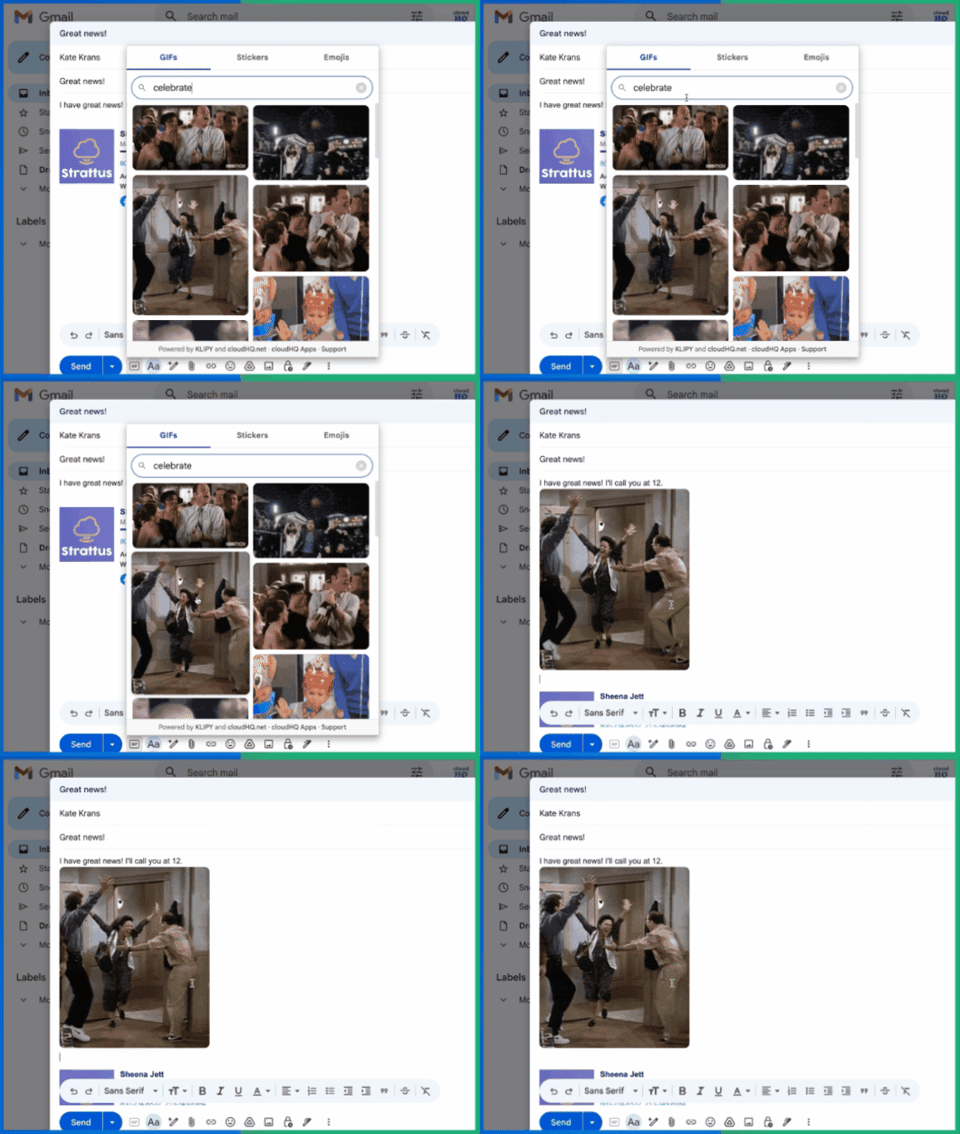
The tool is powered by KLIPY, so you get a huge searchable library right where you are already writing emails.
No side quest required.
How to Add GIFs to Email in Gmail
If you have been wondering how to add GIFs to email without making it weird or time consuming, the process is simple.
- Install Email GIFs by cloudHQ.

- Open Gmail and start a new message.
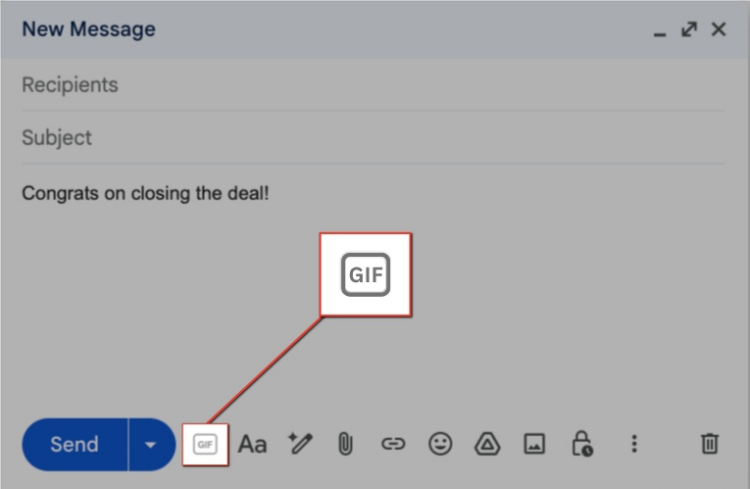
- Click the GIF icon in your compose window.
- Search for a reaction, mood, or keyword.

- Select a GIF or sticker you like. It will get inserted it into your email with just one click.
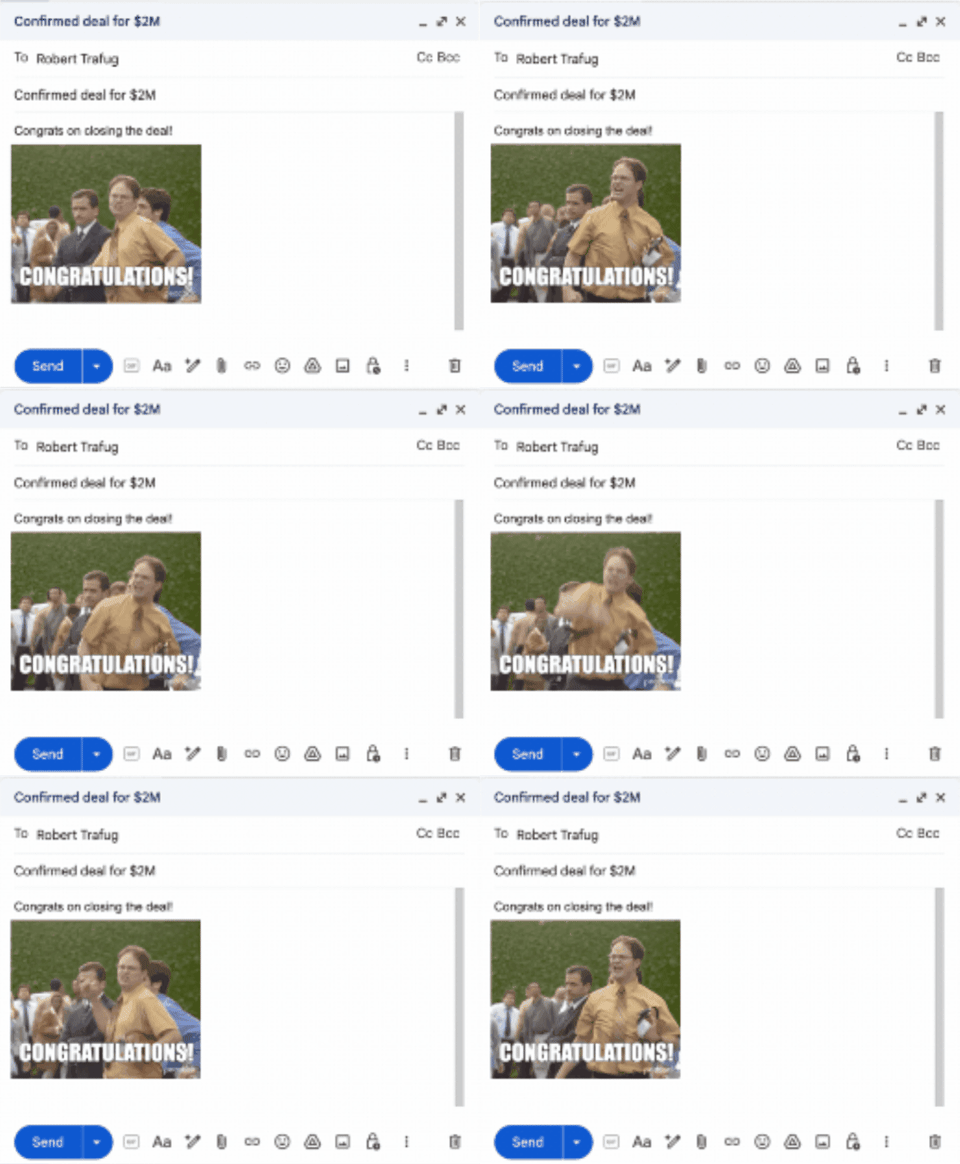
- Send your now significantly less boring email.
That is it.
You do not need to download files, open another tab, or manually paste anything into your draft. This is one of the easiest ways to add GIFs to email in Gmail because the whole experience happens where you are already writing.
Why Use GIFs in Email?
Because sometimes words are technically correct and still emotionally unemployed.
Email GIFs help your message do more than deliver information. They help it land.
Here is what GIFs can add to an email:
- personality
- humor
- tone
- energy
- memorability
- visual interest
They are especially useful when your message needs a little extra spark, such as:
- celebrating a win
- sharing exciting news
- following up after a meeting
- congratulating a coworker
- lightening the mood in outreach
- encouraging clicks in a promotional email
This is positioned around helping users add personality to outreach and follow ups, boost morale, and even support stronger click through rates in some email scenarios.

That makes sense. People are more likely to notice and remember a message that feels alive.
The Best Ways to Use Email GIFs at Work
Not every email needs a GIF. But the right email absolutely can benefit from one.
1. Sales outreach that feels human
Cold emails do not need to sound cold. A clever, relevant GIF can make a follow up feel warmer and more memorable, especially when your message is friendly and low pressure.
2. Team celebrations
Did your team hit a goal? Did someone crush a launch? Did finance finally reply? That deserves more than “Nice work.”
A celebratory GIF makes recognition feel immediate and fun.
3. HR and internal communication
Company culture does not have to live only in all hands meetings and branded mugs. Email GIFs can make internal messages feel more upbeat, especially for welcome emails, shout outs, milestones, and morale boosting notes.
4. Customer success and relationship building
A small visual reaction can make your email feel more personal, especially when thanking customers, celebrating progress, or checking in after a great result.
5. Promotional emails that need more attention
Static emails can disappear into crowded inboxes. A GIF adds movement and emotion, which can help draw attention to your message and make it more engaging.

Email GIF Etiquette: Use Fun, Not Chaos
There is an art to using email GIFs well.
You want charm. Not confusion.
You want personality. Not a digital talent show.
Here are a few simple rules:
- Match the GIF to the tone of the email.
- Keep it relevant to the message.
- Use one strong GIF instead of five random ones.
- Know your audience.
- Save extra goofy choices for people who will enjoy them.
A good email GIF should feel like a wink, not a detour.
If you are emailing a client, prospect, coworker, or customer, the GIF should support the message, not hijack it.
Think of it this way: you are adding flavor, not building a haunted house.

Why Email GIFs by cloudHQ Is So Easy to Use
There are a lot of ways to manually hunt down a GIF online and squeeze it into an email. None of them are as convenient as just doing it inside Gmail.
Email GIFs by cloudHQ keeps the whole process simple:
- it works inside Gmail
- it is built for quick search and insert
- it includes both GIFs and stickers
- it helps you add emotion without slowing down your workflow
This is what makes it useful. It is not just about novelty. It is about removing friction from something people already want to do.
You are already writing the email. Now you can give it the right reaction in seconds.
Frequently Asked Questions
What are email GIFs?
Email GIFs are animated images you can place inside emails to make them more expressive, engaging, and memorable.
How do I add GIFs to email in Gmail?
With Email GIFs by cloudHQ, you open Gmail, click the GIF button in the compose window, search for a GIF or sticker, and insert it directly into your email.
Can I use stickers too?
Yes. Email GIFs by cloudHQ lets you insert both GIFs and stickers into Gmail.
Do I need to leave Gmail to find a GIF?
No. One of the main benefits of Email GIFs by cloudHQ is that you can search and insert GIFs without leaving your inbox.
Are email GIFs only for fun?
Not at all. They can be useful for outreach, team communication, recognition, follow ups, and promotional emails that need more personality and visual interest.
Final Thought: Your Emails Deserve a Pulse
There is nothing wrong with plain text when plain text is all you need.
But when you want your message to feel more alive, more expressive, and more memorable, email GIFs can do a lot of heavy lifting in one tiny animated moment.
Email GIFs by cloudHQ gives you a fast, easy way to add GIFs to email right inside Gmail. No extra tabs. No friction. No sad little “Great job” messages floating into the void without emotional support.
Install it, pick your reaction, and send emails that actually feel like something great.