Table of Contents
The Inbox Problem: Why Tax Receipts Get Lost
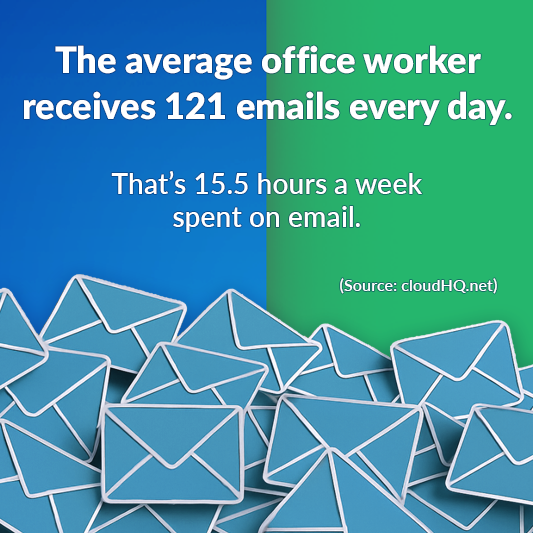
The average office worker is flooded with 121 emails per day, creating a digital avalanche that quietly buries important receipts. Over a year, that is more than 30,000 emails.
Now consider this:
- 88 percent of receipts are delivered digitally
- 74 percent of Americans say they rely on email to store receipts
- 42 percent admit they struggle to find receipts when needed
Your tax documentation is not missing. It is buried.
When tax season arrives, scrolling through thousands of emails becomes the default strategy. That approach increases the risk of:
- Missing deductible expenses
- Underreporting business costs
- Double counting purchases
- Overpaying taxes
The Data Behind Tax Filing Stress
Tax anxiety is not hypothetical.
According to the American Institute of CPAs:
- 51 percent of Americans report feeling stressed during tax season
- 27 percent say they delay filing due to disorganization
- 21 percent admit they are unsure whether they claimed all eligible deductions
Even more concerning:
The IRS estimates that billions of dollars in deductions go unclaimed each year due to poor record keeping.
Digital organization is not optional. It is financially strategic.
IRS Audits and Record Keeping Requirements
The IRS generally has:
- Three years to audit a return
- Six years if income is underreported by more than 25 percent
- No statute of limitations in cases of fraud
According to IRS data, small businesses and self employed taxpayers are audited at higher rates than wage earners.
The IRS specifically requires documentation that clearly shows:
- Date of transaction
- Amount paid
- Business purpose
- Vendor information
Email receipts qualify as documentation, but only if they are accessible and organized.
Searching Gmail during an audit is not a strategy. Structured export is.
How to Automatically Extract Receipts from Gmail
Manual organization is time consuming.
A Deloitte study found that finance professionals spend up to 30 percent of their time on manual data collection and reconciliation.
Automation changes that.
Get My Receipts scans Gmail and automatically:
- Identifies receipts and invoices
- Separates them into categorized spreadsheet tabs
- Exports structured expense data
- Creates organized folders in Google Drive
- Applies Gmail labels for tracking
Instead of searching, you generate a complete tax year export in minutes.

Small Business Tax Record Risks
For small business owners, the stakes are higher.
The National Small Business Association reports:
- 40 percent of small business owners spend over 80 hours per year on federal taxes
- 30 percent report spending more than $5,000 annually on tax compliance
Poor record organization directly increases those costs.
Without centralized documentation:
- Quarterly estimated taxes become inaccurate
- Expense categories are incomplete
- Accountants must bill more hours
- Cash flow forecasting becomes unreliable
Structured digital receipt tracking lowers preparation time and improves financial clarity.
Frequently Asked Questions
How do I organize tax receipts in Gmail?
You can use labels and manual downloads, or automate the process with a tool that scans Gmail and exports receipts into a structured spreadsheet for tax reporting.
Are email receipts valid for IRS audits?
Yes. Digital receipts are acceptable as long as they clearly show vendor, date, amount, and purchase details.
How many years should I keep tax receipts?
Most taxpayers should retain records for at least three years. In some situations, six years is recommended.
What is the fastest way to prepare receipts for my accountant?
Export all Gmail receipts into a categorized spreadsheet along with organized folders containing the original PDF files.
Tax preparation is not only about filing before a deadline. It is about building a defensible, organized financial record system that protects you year after year.